Exam Tips
Guided Tour and Navigation Improvements
A new four-step guided tour and refined navigation—featuring a combined timer/submit component, clearer desktop section labels, and a mobile bottom bar.
Jesslyn Yang
5 min read
196 views
Updated: Guided Tour & Refined Navigation on the Reading Exam
Posted June 1, 2026
We have rolled out two usability improvements to the exam lesen page. The changes focus on helping first-time users understand the interface faster and making navigation clearer on both desktop and mobile screens.
See the new guided tour and navigation in action.
1. New Guided Tour
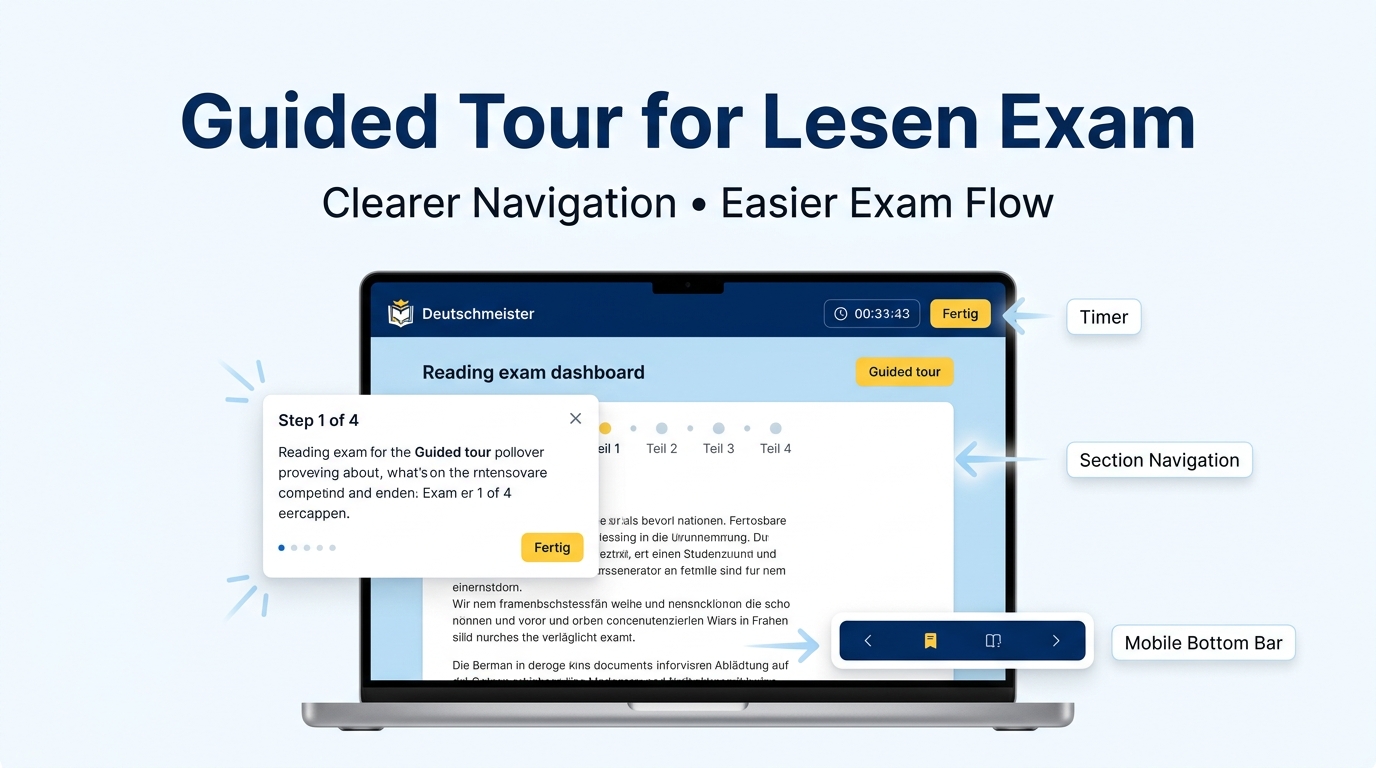
When you enter the reading exam for the first time, a short four-step tour will now appear. It walks you through the most important controls:
- The countdown timer and how it auto-submits at zero.
- The Fertig button — where to find it and what happens when you click it.
- The cancellation confirmation — so you know you can always go back and keep editing.
- Section navigation — how to jump between exam parts and track which questions you have answered.
The tour can be dismissed at any step. Once completed, it will not show again unless cleared from your profile settings.
2. Combined Timer & Finish Button
The countdown timer and the Fertig (submit) button now live inside a single unified component in the top bar. This reduces visual clutter and makes the most frequently used controls easier to locate.
3. Desktop Navigation with Section Labels
On desktop, the exam header now includes clear section labels (e.g. Teil 4) alongside the dot indicators. This gives you a quick textual reference of where you are in the exam without having to interpret icons alone.
4. Mobile Bottom-Bar Navigation
On smaller screens, a persistent bottom bar has been added. It holds the section label and the navigation controls, keeping them within thumb reach and preventing them from being lost behind scrollable content.
What This Means for You
These updates do not change any exam content, scoring rules, or time limits. They are purely interface refinements intended to make the reading exam feel more intuitive, especially for users taking it on a phone or tablet.
If you notice any issues with the new tour or navigation, please report them through the feedback link in your exam dashboard.